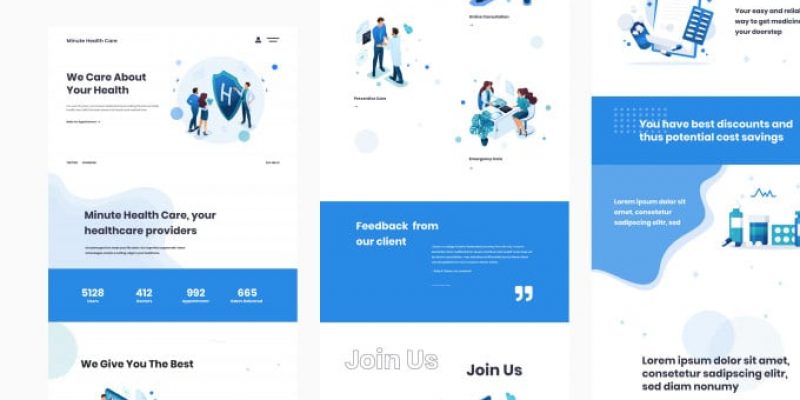
Why Hiring a Professional Website Development Company in Calgary Is Essential for Local Business Growth
In today’s digital-first world, a business’s website is often the first impression customers have. For local businesses in Calgary, having a professional, user-friendly, and optimized website is no longer optional—it’s essential. Partnering with a trusted website development company in Calgary like Connect 2U can make the difference between struggling to attract customers and achieving sustainable growth. Here’s why hiring experts is crucial for your business success.
1. First Impressions Matter
Your website is your digital storefront. A poorly designed site can drive potential customers away within seconds, while a professional, visually appealing design builds trust and credibility. Connect 2U specializes in creating websites that reflect your brand identity and leave a lasting impression on visitors.
2. Mobile-Friendly Design
With most users accessing websites through smartphones, mobile responsiveness is critical. A professional website development company ensures your site looks and functions seamlessly across all devices. This not only improves user experience but also boosts your search engine rankings.
3. Search Engine Optimization (SEO)
A beautiful website is useless if customers can’t find it. Professional developers integrate SEO strategies into the design, helping your site rank higher on Google and other search engines. Connect 2U focuses on optimizing websites for local searches, ensuring Calgary businesses reach the right audience.
4. Enhanced User Experience
Navigation, speed, and functionality all contribute to user experience. A professional team ensures your website loads quickly, is easy to navigate, and provides clear calls-to-action. This keeps visitors engaged and increases the likelihood of conversions.
5. Custom Solutions for Local Businesses
Every business is unique, and cookie-cutter templates rarely meet specific needs. A professional website development company in Calgary like Connect 2U tailors solutions to match your goals, whether you need e-commerce functionality, booking systems, or integrated marketing tools.
6. Security and Reliability
Cybersecurity threats are on the rise, and protecting customer data is vital. Professional developers implement secure coding practices, SSL certificates, and regular updates to safeguard your website. This builds customer trust and ensures compliance with industry standards.
7. Ongoing Support and Maintenance
Websites require regular updates to stay relevant and secure. A professional company provides ongoing support, troubleshooting, and maintenance, so you can focus on running your business while experts handle the technical side.
8. Competitive Advantage
In Calgary’s competitive market, standing out is essential. A professionally developed website gives you an edge over competitors who rely on outdated or poorly designed sites. Connect 2U helps businesses showcase their strengths and attract more customers through innovative web solutions.
9. Integration with Digital Marketing
A website is the foundation of your digital marketing strategy. Professional developers ensure seamless integration with social media, email campaigns, and analytics tools. This allows you to track performance, engage with customers, and refine your marketing efforts.
10. Long-Term Growth
Investing in professional website development is not just about immediate results—it’s about long-term growth. A well-built site scales with your business, adapting to new technologies and customer needs. Connect 2U designs websites that grow alongside your company, ensuring lasting success.
Why Choose Connect 2U?
Connect 2U has earned a reputation as a reliable website development company in Calgary. Their team combines creativity, technical expertise, and local market knowledge to deliver websites that drive business growth. By focusing on user experience, SEO, and security, Connect 2U helps Calgary businesses thrive in the digital landscape.
Final Thoughts
For local businesses in Calgary, hiring a professional website development company is no longer a luxury—it’s a necessity. From creating strong first impressions to ensuring long-term scalability, expert developers provide the tools you need to succeed. Connect 2U is the partner you can trust to build a website that not only looks great but also fuels your business growth.
Custom ERP Development Canada: Features, Costs & Implementation Guide
In today’s competitive business environment, organizations are constantly searching for ways to streamline operations, improve efficiency, and gain real-time insights into their processes. This is where ERP Development Canada comes into play. Enterprise Resource Planning (ERP) systems integrate various business functions into a single platform, enabling better decision-making and operational transparency.
When it comes to custom ERP solutions, businesses require more than out-of-the-box software—they need systems tailored to their workflows, industry requirements, and growth plans. Connect 2U, a leading provider of bespoke enterprise software solutions, specializes in custom ERP development that meets the unique needs of Canadian companies. Below, we explore essential ERP features, typical costs, and practical steps for ERP implementation.
What Is Custom ERP Development?
Custom ERP development refers to building an Enterprise Resource Planning system specifically designed for a company’s operational requirements. Unlike generic ERP software, custom solutions are built from the ground up or heavily customized to support unique business processes. This approach ensures that the system aligns perfectly with your goals, whether you are in manufacturing, distribution, retail, or services. For businesses seeking ERP Development Canada, custom solutions offer flexibility, scalability, and competitive advantage.
Key Features of Custom ERP Systems
Before moving forward with development, it’s important to understand the core features that make ERP systems valuable. A custom ERP platform typically includes modular components such as inventory management, finance and accounting, human resources (HR), customer relationship management (CRM), procurement, and production planning. Connect 2U ensures seamless integration across all modules so data flows effortlessly between departments.
One of the biggest advantages of an ERP system is access to real-time data. Dashboards provide key performance indicators (KPIs) at a glance, helping executives make informed decisions quickly. ERP systems also streamline repetitive tasks such as purchase order approvals, payroll processing, and order fulfillment. Automation eliminates manual errors and boosts productivity. Custom ERP solutions from Connect 2U are designed to scale with your operations, allowing you to add new modules, users, or features as needed. Security is another critical factor, and these systems come with role-based access controls, audit trails, and compliance features that meet Canadian regulatory standards.
Understanding Costs of ERP Development
Cost is often the first question businesses ask when considering ERP Development Canada. Unlike off-the-shelf software, custom ERP solutions involve multiple variables that influence pricing. The scope and complexity of the project play a significant role, as more modules and integrations increase development time and cost. Highly specialized functionality tailored to unique processes may require additional development expertise. Deployment type also affects pricing, with cloud-based ERP generally having lower upfront infrastructure costs compared to on-premise solutions, though subscription fees apply. Post-implementation support, updates, and feature enhancements are essential for long-term success. While costs can vary, working with experts like Connect 2U helps organizations accurately estimate budgets and avoid hidden expenses.
ERP Implementation Guide
Implementing a custom ERP system involves careful planning and collaboration between stakeholders and development teams. It begins with a needs assessment to evaluate current systems and identify processes that need improvement. This helps define project goals and priorities. Connect 2U works closely with your team during the design and development phase to create workflows, user interfaces, database structures, and integrations while ensuring alignment throughout the process. Rigorous testing, including unit tests, data validation checks, and user acceptance testing (UAT), ensures that the system performs reliably before going live. Training sessions and proper documentation facilitate smooth adoption across departments. After deployment, ongoing monitoring and technical support from Connect 2U ensure the system runs effectively and evolves with future needs.
Final Thoughts
Custom ERP Development Canada delivers powerful results by aligning technology with business strategy. With features designed to enhance efficiency, real-time insights for smarter decisions, and scalable architecture, custom ERP systems represent a solid investment for growing companies. Partnering with experienced developers like Connect 2U helps businesses navigate the complexities of ERP development, control costs, and achieve a successful implementation that drives long-term growth.
Why ERP Development Canada is Essential for Growing Businesses in 2026
As businesses continue to scale in today’s digitally driven economy, managing operations across departments becomes increasingly complex. From finance and inventory to human resources and customer relationship management, companies need integrated systems that bring all business processes under one platform. This is where ERP Development Canada plays a crucial role in helping organizations streamline workflows and improve decision-making. Companies like Connect 2U are offering advanced ERP development solutions that support business growth, enhance productivity, and ensure operational efficiency in 2026 and beyond.
Centralized Data Management
One of the primary benefits of adopting ERP Development Canada is centralized data management. Instead of handling information across multiple disconnected systems, ERP software integrates all business functions into one unified platform. Connect 2U helps businesses implement ERP solutions that allow real-time access to data, ensuring departments such as accounting, sales, procurement, and HR can collaborate effectively while reducing data redundancy and errors.
Improved Operational Efficiency
Operational efficiency is critical for growing businesses looking to stay competitive in their respective industries. Through ERP Development Canada, organizations can automate routine tasks such as order processing, inventory tracking, payroll management, and financial reporting. Connect 2U develops customized ERP systems that minimize manual intervention and improve workflow accuracy, allowing businesses to focus on strategic growth rather than administrative processes.
Better Decision-Making with Real-Time Insights
Making informed decisions requires accurate and timely information. With ERP Development Canada, businesses gain access to real-time analytics and performance reports that help management make data-driven decisions. Connect 2U integrates advanced reporting tools within ERP systems, enabling business owners to monitor key performance indicators, financial health, and operational metrics from a single dashboard.
Enhanced Customer Relationship Management
Customer satisfaction plays a vital role in business success. ERP systems developed through ERP Development Canada help organizations manage customer data, track interactions, and analyze purchasing behavior effectively. Connect 2U’s ERP solutions include integrated CRM modules that improve customer engagement and service delivery, helping businesses build long-term client relationships.
Scalability and Business Growth
As companies expand, their operational requirements evolve. Traditional management systems often fail to keep up with increasing business demands. Investing in ERP Development Canada ensures your system grows alongside your business. Connect 2U offers scalable ERP solutions that can be customized based on changing business needs, ensuring long-term sustainability and performance.
Cost Reduction and Resource Optimization
ERP implementation helps reduce operational costs by eliminating redundant processes and improving resource utilization. Through ERP Development Canada, businesses can optimize inventory management, reduce wastage, and enhance workforce productivity. Connect 2U designs ERP solutions that ensure efficient allocation of resources, resulting in improved profitability.
Regulatory Compliance and Data Security
Maintaining compliance with industry regulations is essential for business continuity. ERP systems developed through ERP Development Canada help organizations maintain accurate financial records and meet compliance requirements. Connect 2U integrates secure data management features that protect sensitive business information from cyber threats while ensuring regulatory adherence.
Final Thoughts
In 2026, investing in ERP Development Canada is no longer optional but a strategic necessity for growing businesses. With integrated operations, real-time insights, and scalable solutions, ERP systems empower organizations to enhance productivity and achieve sustainable growth. By partnering with Connect 2U, businesses can implement tailored ERP solutions that support long-term success in an increasingly competitive marketplace.
Custom ERP Development in Calgary: Features, Costs & Benefits for Growing Companies
In an era of digital transformation, businesses in Calgary are seeking smarter ways to manage operations and enhance productivity. ERP Development Calgary has emerged as a critical solution for companies looking to integrate various business processes into a unified platform. Connect 2U specializes in custom ERP development, providing tailored solutions that align with the specific needs of growing businesses.
What is Custom ERP Development?
Custom ERP development involves designing enterprise resource planning systems that are tailored to a company’s unique workflows, operational structure, and business goals. Unlike off-the-shelf ERP solutions, custom ERP ensures that every module—finance, inventory, HR, CRM, and production—is optimized to meet the organization’s requirements.
With Connect 2U’s ERP Development Calgary, businesses gain a flexible platform that can evolve as they scale, supporting growth without compromising efficiency.
Key Features of Custom ERP Systems
- Centralized Data Management – Custom ERP consolidates all business data in a single platform, providing real-time access and eliminating information silos.
- Automation of Routine Tasks – From payroll to inventory management, automation reduces manual errors and frees employees to focus on strategic work.
- Advanced Reporting & Analytics – Custom dashboards and reporting tools allow decision-makers to track performance, identify trends, and make data-driven decisions.
- Scalability & Flexibility – Tailored ERP systems grow with the company, allowing the addition of modules or features as business needs change.
- Integration Capabilities – Custom ERP can integrate with existing software, e-commerce platforms, or third-party applications, ensuring seamless workflows.
Cost Considerations for ERP Development Calgary
The cost of ERP development in Calgary depends on factors such as system complexity, number of modules, customization requirements, and implementation timeline. While custom ERP may require a higher upfront investment than standard solutions, the long-term benefits—improved efficiency, reduced operational costs, and scalable growth—often outweigh the initial expense. Connect 2U works closely with clients to provide transparent pricing and solutions tailored to budgets without compromising quality.
Benefits of Custom ERP for Growing Companies
- Enhanced Operational Efficiency: Streamlined processes reduce redundancies and accelerate workflows.
- Better Decision-Making: Real-time insights and advanced analytics support informed business strategies.
- Improved Collaboration: Centralized data fosters better communication across departments.
- Cost Savings Over Time: Optimized resource allocation and automated tasks reduce operational costs.
- Future-Proof Growth: Custom ERP adapts to business expansion and evolving industry demands.
Why Choose Connect 2U for ERP Development Calgary
Connect 2U is a trusted provider of custom ERP solutions in Calgary. With expertise in designing tailored systems, Connect 2U ensures that businesses receive a platform that meets operational needs, boosts productivity, and scales with growth. Their approach focuses on collaboration, quality, and measurable results to deliver a system that drives long-term success.
Final Thought
Investing in ERP development in Calgary is a strategic move for growing companies. By choosing Connect 2U, businesses gain a custom ERP solution that integrates key operations, reduces inefficiencies, and supports sustainable growth. Custom ERP is no longer a luxury—it’s a necessity for businesses aiming to stay competitive in 2026 and beyond.
Why Businesses Need ERP Development in Calgary to Streamline Operations in 2026
In today’s rapidly evolving business environment, companies need advanced tools to stay competitive and efficient. One of the most powerful solutions for achieving operational excellence is ERP development, and businesses in Calgary are increasingly turning to customized solutions to optimize their workflows. Connect 2U specializes in ERP Development Calgary, providing businesses with tailored systems that integrate all critical functions under one platform.
Understanding ERP and Its Importance
Enterprise Resource Planning (ERP) is a software solution that integrates key business processes into a single system. These processes may include finance, human resources, supply chain management, inventory tracking, sales, and customer relationship management. The main goal of ERP is to improve efficiency, reduce manual errors, and provide a unified view of organizational data.
For Calgary-based businesses, leveraging ERP development in 2026 is more than just a technological upgrade — it is a strategic move to enhance productivity, streamline operations, and make data-driven decisions.
Benefits of ERP Development in Calgary
1. Centralized Data Management
An ERP system consolidates data from different departments into a centralized platform. This eliminates silos, reduces duplication, and ensures that all stakeholders have access to accurate, real-time information. With Connect 2U’s ERP Development in Calgary, businesses can manage operations seamlessly and make informed decisions based on comprehensive insights.
2. Enhanced Operational Efficiency
ERP automates routine tasks such as invoicing, payroll, and inventory tracking. Automation reduces human error, saves time, and allows employees to focus on more strategic activities. By streamlining processes, Calgary businesses can increase productivity and deliver better services to customers.
3. Cost Reduction and Resource Optimization
ERP systems help organizations optimize resource allocation and reduce unnecessary costs. From managing inventory levels to monitoring production schedules, ERP development in Calgary ensures that resources are used efficiently, reducing waste and operational expenses.
4. Improved Customer Experience
A well-implemented ERP system provides businesses with a holistic view of customer interactions. This allows companies to respond faster to inquiries, personalize services, and maintain higher customer satisfaction. Connect 2U’s ERP solutions integrate customer data to help businesses deliver exceptional experiences.
5. Scalability for Future Growth
As businesses grow, their operational complexity increases. ERP development offers scalable solutions that can adapt to new challenges, additional departments, and expanding markets. Calgary businesses can future-proof their operations with a flexible ERP system tailored to their specific needs.
Why Choose Connect 2U for ERP Development in Calgary
Connect 2U specializes in providing customized ERP solutions for businesses in Calgary. Their team of experts works closely with clients to understand their unique requirements and develop systems that improve efficiency, enhance data management, and support long-term growth. By leveraging the latest technologies, Connect 2U ensures that ERP development delivers measurable results and a competitive edge.
Final Thought
In 2026, businesses in Calgary face increasing pressure to operate efficiently, reduce costs, and deliver exceptional customer experiences. Investing in ERP development in Calgary is no longer optional — it is a necessity. With Connect 2U, companies can implement a robust ERP system that streamlines operations, empowers employees, and supports sustainable growth.
10 HTML Tips and Tricks to help you in 2021
HTML has lots of useful elements and attributes that some people don’t know about. Check out this list of 10 HTML Tips and Tricks to help you to achieve better results with HTML.
Here are 10 HTML Tips and Tricks to help you
1) Color Picker
Did you know you can create a nice color picker using only HTML?
Check it out:
<input type="color" id="color-picker"
name="color-picker" value="#e66465">
<label for="color-picker">Pick a color</label>
2) Progress bar
You can also create a progress bar using only HTML with the progress element. It can be used in order to show the progress of a task such as a file upload/download.
<label for="file">File progress:</label>
<progress id="file" max="100" value="70"> 70% </progress>
3) Meter tag
You can use the meter element to display measured data within a certain range with min/max/low/high values, such as temperature.
<label for="fuel">Fuel level:</label>
<meter id="fuel"
min="0" max="100"
low="33" high="66" optimum="80"
value="50">
at 50/100
</meter>
4) Input search
You can set an input’s type attribute to search to create a search input field. The nice thing is it adds the “x” button that allows the user to quickly clear the field.
<label for="site-search">Search the site:</label>
<input type="search" id="site-search" name="q"
aria-label="Search through site content">
<button>Search</button>
5) Start attribute in ordered lists
You can use the start attribute to specify the start value of an ordered list.
<ol start="79">
<li>Slowpoke</li>
<li>Slowbro</li>
<li>Magnemite</li>
<li>Magneton</li>
</ol>
6) Responsive images
Use the picture tag to display different images according to the window size.
It’s useful to make your website more responsive.
<picture>
<source media="(min-width:1050px)" srcset="https://assets.pokemon.com/assets/cms2/img/pokedex/full/006.png">
<source media="(min-width:750px)" srcset="https://assets.pokemon.com/assets/cms2/img/pokedex/full/005.png">
<img src="https://assets.pokemon.com/assets/cms2/img/pokedex/full/004.png" alt="Charizard-evolutions" style="width:auto">
</picture>
7) Highlight text
Use the mark tag to highlight text. The default color is yellow but you can change it by setting the background-color attribute to any other color you like.
<p>Hi dev friend, this is a
<mark>highlighted text</mark>
made with love by simon paix </p>
8) Interactive widget
You can use the details tag to create a native accordion that the user can open and close.
Tip: the summary element should be the first child of the details tag.
<details>
<summary>Click to open </summary>
<p>Hi stranger! I'm the content hidden inside this accordion ;)</p>
</details>
9) Native Input Suggestions
You can use the datalist element to display suggestions for an input element.
The input’s list attribute must be equal to the id of the datalist.
<label for="fighter">Pick your fighter</label>
<input list="fighters" name="fighter">
<datalist id="fighters">
<option value="Sub Zero">
<option value="Pikachu">
<option value="Mario">
<option value="Baraka">
</datalist>
10) Open all links in a new tab
You can set the base element target attribute to blank so when the user clicks a link it always opens in a new tab. It is useful if you want to avoid users unintentionally leaving a certain page.
However, it includes links to your own domain. If you only want links to a different domain to open in a new tab, you must use JavaScript, instead.
<head>
<base target="_blank">
</head>
<div>
All links will open in a new tab:
<a href="https://learnpine.com/">LearnPine</a>
</div>

10 VS Code Extensions to Fight Technical Debt
Many engineering teams get stuck and cannot ship quality software fast because of technical debt. The best engineering teams I’ve talked to use the right tools to continuously refactor code, improve their codebase communication, and address technical debt.
Here are 10 VS Code Extensions to Fight Technical Debt that’ll help you navigate the production landscape.
10 VS Code Extensions to Fight Technical Debt
Refactoring and Tech Debt Tools
1. Glean
Glean provides refactoring tools for your React codebase: extract JSX into a new component, convert Class Components to Functional Components, wrapping with Hooks. It allows extracting JSX into new components, converting Class Components to Functional Components and vice-verse, wrapping JSX with conditional, renaming state variables and their setters simultaneously, and more.
2. Stepsize
Our team has built Stepsize specifically for Engineering teams to track and prioritize technical debt directly in the VS Code editor. It is an editor-first issue tracker for a healthy codebase that allows engineering teams to:
- Create and view code issues directly from your editor
- Track and prioritize code improvements like technical debt
- Add key issues to your sprints with our Jira integration
3. JavaScript Assistant
JavaScript assistant will help you write modern, clear, and concise code. It offers 48 automated refactorings, cleanups, and actions for JavaScript and TypeScript.
4. Abracadabra, Refactor This!
With Abracadabra, you can quickly and safely refactor existing code in VS Code.
VS Code ships with a few basic refactorings. Abracadabra supercharges your editor with shortcuts to trigger the most useful ones in no time, quick fixes to suggest refactorings when appropriate, options to customize the UX to your needs, refactorings that work with .js, .jsx, .ts, .tsx, and .vue files.
TODOs and Comments
5. TODO Highlight
If you like to mark sections of code with TODO and FIXME tags but keep forgetting about them then this plugin will solve your problem. It highlights TODO or FIXME phrases in the code so that you don’t forget what you wanted to fix or improve.
6. Todo Tree
The Todo Tree extension collects all your tasks scattered throughout the application at your command into one tree on the left side of the editor workspace. You can quickly search your workspace for comment tags like TODO and FIXME, and see them in a tree view.
7. Comment Anchors
Comment Anchors allows you to place anchors within comments or strings to place bookmarks within the context of your code. Anchors can be used to track TODOs, write notes, create foldable sections, or build simple navigation making it easier to navigate your files.
Anchors can be viewed for the current file, or throughout the entire workspace, using an easy-to-use the sidebar. Comment Anchors provides many configuration options, allowing you to tailor this extension to your personal workflow, and increase productivity.
8. New Relic CodeStream
New Relic CodeStream is a developer collaboration platform that integrates essential dev tools into VS Code. Eliminate context-switching and simplify code discussion and code review by putting collaboration tools in your IDE.
- Create and review GitHub and GitLab pull requests
- Get feedback on work-in-progress with pre-PR code reviews
- Code discussions and comments
Automation
9. SonarLint
SonarLint lets you fix coding issues before they exist: like a spell checker, SonarLint highlights Bugs and Security Vulnerabilities as you write code, with clear remediation guidance so you can fix them before the code is even committed. SonarLint in VS Code supports analysis of JavaScript, TypeScript, Python, Java, HTML & PHP code.
10. Code Runner
Run code snippet or code file for multiple languages, such as C, C++, Java, JavaScript, PHP, Python, Perl, Perl 6, Ruby, Go, and many more.
- Run code file of current active Text Editor
- Run code file through the context menu of file explorer
- Run selected code snippet in Text Editor
These 10 VS Code extensions will help you keep your codebase healthy and manage technical debt continuously. Do you use other similar extensions? Share below in the comment section!
7 useful HTML attributes you may not know
HTML is the cornerstone of web development. Yet, many aspiring programmers merely skim the surface and move on to CSS, JS, etc, missing its entire potential.
This is a list of 7 useful HTML attributes you may not know, but that can be helpful.
Please, let me know in the comments if you would like to add any other attribute to the list and I’ll check it out 😉
7 useful HTML attributes you may not know
1) Multiple
The multiple attribute allows the user to enter multiple values on an <input>. It is a boolean attribute valid for file or email input types and the <select> element.
For an email input, if and only if the multiple attribute is specified, the value can be a list of comma-separated email addresses. Any whitespace is removed from each address in the list.
For a file input, the user can select multiple files in the as usual (holding down Shift or Crtl).
<input type="file" multiple>
2) Accept
The <input> element has the accept attribute that allows you to specify the types of files the user can upload.
You need to pass it a string containing a comma-separated list of unique file type specifiers.
You can also use it to specify only audio, image, or video format.
<input type="file" accept=".png, .jpg">
3) Contenteditable
Contenteditable is a global attribute (common to all HTML elements) that makes the HTML content editable by the user or not. However, be careful with changes only made to visible content vs the DOM content.
<div contenteditable="true">I'm a cool editable div ;)</div>
4) Spellcheck
The spellcheck is another global attribute that you can use to check spelling and grammar on HTML elements such as input fields and other editable elements.
Note: Typically non-editable elements are not checked for spelling errors, even if the spellcheck attribute is set to true and the browser supports spellchecking.
<p contenteditable="true" spellcheck="true">
Thanks furr checkinng my speling :)</p>
5) Translate
translate tells the browser whether the content should be translated or not.
For instance, you can use it to prevent Google Translate from automatically trying to translate your company’s or brand’s name.
<footer><p translate="no">LearnPine</p></footer>
6) Poster
Use the poster attribute to specify an image to be shown while the video is downloading, or until the user hits the play button.
If the image isn’t specified, nothing is displayed until the first frame is available, then the first frame is shown as the poster frame.
<video controls
src="https://bit.ly/3nWh78w"
poster="posterImage.png">
</video>
7) Download
Use the download attribute combined with an <a> element to instruct browsers to download a URL instead of navigating to it, so the user will be prompted to save it as a local file.
You can also specify the file name.
<a href="index.html" download="fileName">Download me :)</a>